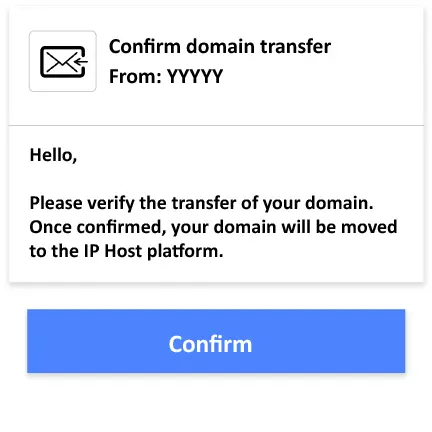
Domain Transfer to IPHOST – Fast and Secure

Transfer your domain to IPHOST quickly and safely. The process ensures WHOIS data protection, correct DNS setup, and uninterrupted website operation during the transfer.

  • Fast domain transfer Move your domain without any downtime affecting your website.
  • WHOIS and data protection Your personal and domain information stays secure throughout the transfer.
  • Correct DNS configuration IPHOST ensures all DNS settings are properly applied after the transfer.
  • Full transfer support Our team guides you step-by-step to complete your domain transfer easily.
IP Host Data Center
4.6/5
Rating Google
1500+
Satisfied Customers
14+
Years of experience
24/7
Technical support

How to Transfer a Domain Name in a Few Simple Steps!

1

Prepare the Domain

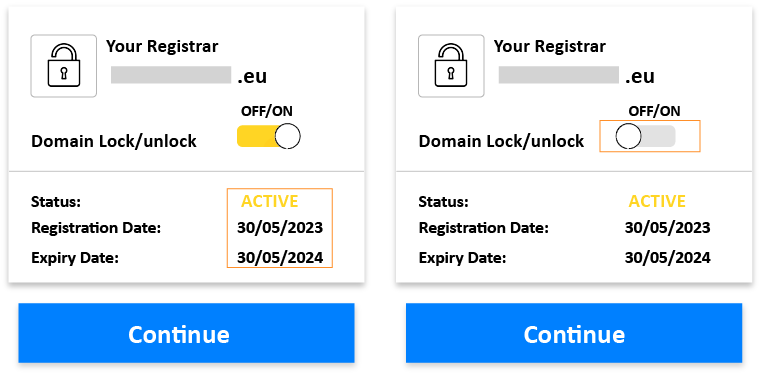
Check if the domain has at least 60 days since registration; also, it must not be expired or have the status "Pending deletion" or "in recovery," then unlock it.
2

Create an account with your new registrar

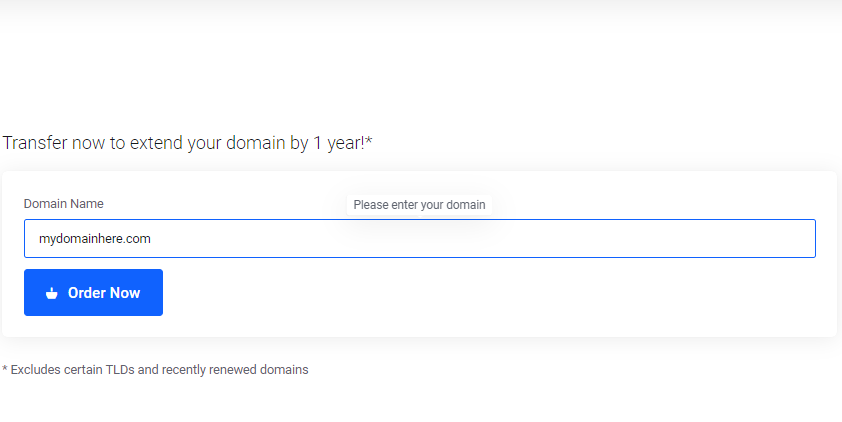
Enter the domain you want to transfer, then click the "Transfer" button.
3

Purchase the Domain

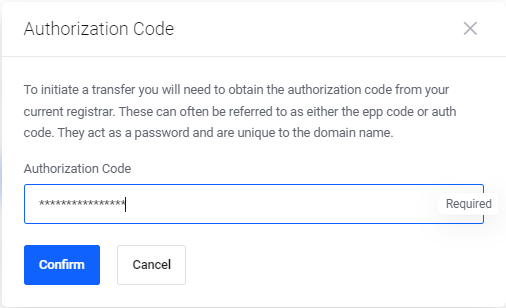
It is necessary to enter the authorization/EPP code provided by the old registrar. Please check if you have entered the code correctly and confirm the domain transfer.
4

Complete the domain transfer

The old provider will validate the transfer, and then you will receive a confirmation message. The new registrar will configure your domain and servers. Throughout the process, your website will remain accessible.

What are the benefits of transferring your domain to IP Host?

Transferring your domain to IP Host offers significant advantages, including specialized technical support, enhanced security, improved performance, and ease of domain management.

Easy and Fast Domain Transfer

IPHOST offers an easy and fast domain transfer process with a user-friendly interface, minimal interruptions, and quick technical support.

Efficient Domain Management Tools

IPHOST offers advanced domain management tools, including intuitive control panels, DNS management features, and powerful functionalities for efficient domain handling.

Enhanced Security

IPHOST provides effective security solutions to protect infrastructure and customers, including DDoS protection and advanced security measures when transferring your domain.

10K+ Managed Web Domains
99.9% Uptime Services
1 min Average register time

Payment methods

Information About Domain Transfer

Here are some important things to consider in the domain transfer process:

Update your contact information: Both the registrar you are leaving and the new provider will need to contact you during the transfer process, so your contact information must be up-to-date. Log in to the control panel of your current registrar and verify your account details. Make sure your name, phone number, and physical address are correct.

Obtain the authorization code (EPP code): This code must be provided to the new registrar to confirm that you have administrative rights over the domain and agree to the transfer. Access your account at the current registrar and request the authorization code for the domain you want to transfer.

This code establishes the link between your old registrar and the new provider and must be provided within five days of your request, usually by email. Some registrars allow automatic generation of codes directly from their control panels.

Authorize the domain transfer: Once you enter the authorization code, you will be contacted by both the old registrar and the new provider. You will need to confirm the contact details and officially approve the transfer. Make sure the contact information provided to both registrars is correct.

Cancel the previous service: Do not deactivate the old registrar's service until your new account is functional, and the domain is fully transferred. After confirming that everything is working, cancel the old service to avoid additional charges.


Google Reviews from Our Customers

Ion Arsenii

A 10-star team, always responsive and quick to respond when needed, gets involved in the client's problems without hesitation, hangs out [ ... ]

Starus Ion

I am very satisfied, all services are working perfectly, and the support team is fast and extremely helpful.

Dan Pascaru

I have had an excellent collaboration with IPHOST.MD for over 5 years. Their hosting and domain services have always been reliable, and [ ... ]

Danii Olga

High quality services, professional team, efficient customer service communication (any question or request is promptly answered with a [ ... ]

Ion Arapu

I collaborate with IPhost in my freelance work for website development and I can say that their services are beyond expectations. The [ ... ]

Călin Solcan

The relations and attitude towards customers is at a good level.

Partners and customers who use our services

From startups to growing companies, our customers choose our web hosting, VPS, and dedicated server services for their performance, security, and stability. Our infrastructure supports online projects across a wide range of industries.

bomba
bomba
air-moldova
air-moldova
bacio-di-bolle
bacio-di-bolle
microinvest
microinvest
bmw
bmw
protv
protv

FAQ - Web Domain Transfer

Domain transfer FAQ: learn how to transfer a domain, get the EPP code, switch registrars, and how long the transfer process takes

The duration of a domain transfer may vary depending on the domain service provider and its specific procedures. Generally, the process can take between 5 and 7 business days. It's important to note that certain factors, such as verifying contact details and confirming the transfer from both parties involved, can influence the total duration of the process.

Yes, domain transfer can involve certain costs. The costs associated with domain transfer can vary depending on several factors, including the current domain registrar and the one to which the domain is being transferred, the domain extension (e.g., .com, .net, .org), the remaining duration of the registration, and others.

Yes, generally, your domain should work in the transfer process, with certain conditions and exceptions. Here are some aspects to consider:

  1. DNS Propagation: After transferring a domain, you need to wait for the DNS propagation process. The duration of this process can vary from a few hours to 48 hours or even more, depending on the DNS service provider and other factors. During propagation, some visitors may continue to see the old server, while others will be directed to the new server.
  2. Transfer Status: During the transfer process itself, when you change the registrar (the company that manages the domain), there is a possibility that some services associated with the domain (such as email) may be affected. It is essential to have backups and consider this aspect when planning the transfer.
  3. Service Providers: Different service providers may have different policies and procedures, so it is always recommended to check with the current and new registrar to better understand how the transfer will affect your domain.

To minimize impact, plan the transfer at a time with the least possible traffic and inform your users or clients about the planned changes. It is also recommended to back up all data associated with the domain before starting the transfer process.

During the domain transfer process, the remaining period is usually extended by one year. This means that if your domain had, for example, 6 months left before the transfer, after the transfer, it will have a registration period of 1 year and 6 months.

This extension of the registration period is a common practice and ensures that you do not lose the prepaid registration time for that domain. It is important to be aware of this change and take into account the extended validity period of the domain after the transfer.

Check the contact information and make sure the domain is unlocked. If you encounter any issues, contact the customer support of both registrars.